 +38 (097) 914-16-23
 +38 (063) 406-76-84
 info@led-avto.com.ua
-
×
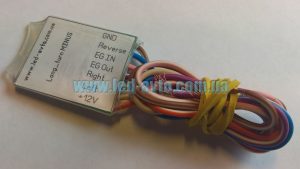 Turn extension, polite turns (Long_pov_minus Full v.1.0)
1 × 550.00 UAH
Turn extension, polite turns (Long_pov_minus Full v.1.0)
1 × 550.00 UAH
Subtotal: 550.00 UAH


4,300.00 UAH
General description.
The controller is designed to remotely receive information about the general parameters of the car's condition and remote control.
The controller is connected to the OBD connector using an adapter.
Complete set.
General description.
The controller is designed to remotely receive information about the general parameters of the car's condition and remote control.
The controller is connected to the OBD connector using an adapter.
Complete set.
Connection and principle of action.
Procedure for connecting the device:
– connect the supplied adapter to the regular OBD connector;
– insert the SIM card into the device;
– connect the device to the corresponding connector on the adapter;
– wait for the device to initialize on the network.
Run the Ford GSM Key app on Android, and go to Settings – Profile, enter your personal ID in the "Device ID" field, which is located on the back of the device, save and restart the app.
The device is ready for use if the car has a keyless access system.
In the case of a car with key access, the following steps must be performed:
In order for the remote start from the application to work, this function must be activated in the car.
The application has an interface, on which is reflected:
Support and updates.
The software of the device supports the possibility of updating using the microUSB port via a computer, for this you need to perform actions:
The process of successfully completing the update is accompanied by a corresponding message in the software, in case of failure, repeat the process.


Reviews
There are no reviews yet.