 +38 (097) 914-16-23
 +38 (063) 406-76-84
 info@led-avto.com.ua
-
×
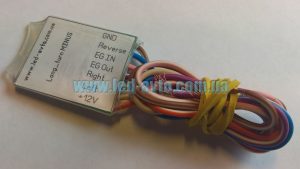 Turn extension, polite turns (Long_pov_minus Full v.1.0)
1 × 550.00 UAH
Turn extension, polite turns (Long_pov_minus Full v.1.0)
1 × 550.00 UAH
Subtotal: 550.00 UAH

3,300.00 UAH
Controller for turning on the front camera in automatic mode or manually using the Source button on Sync2/3
Controller for turning on the front camera in automatic mode or manually using the Source button on Sync2/3
Auto mode
The camera is activated when:
1) when R is turned on, the rear wheel is automatically turned on.
2) translated from R - automatic switching to the front.
These two conditions are always met, regardless of whether, which camera is already working (when, if they have already been activated from the button) or none of them work.
Turning off cameras in non-R position, if no activity occurs, requiring camera operation, during 10 seconds.
Cameras do not automatically turn off in R position!
Manual mode
Manually turning on the camera occurs by briefly pressing the EJECT button.
The front camera turns on first (if none of the cameras have been activated before) or switches to another (if one of the cameras was already working). Subsequent presses switch cameras in a circle.
In manual mode, cameras can always be turned on, regardless of whether they were turned off automatically when one of the conditions was reached.
Manual (forced) The cameras turn off after a long period of time (1 Sec) holding down the button.


Reviews
There are no reviews yet.